![(please configure the [header_logo] section in trac.ini)](http://www1.pconline.com.cn/hr/2009/global/images/logo.gif)
| Version 2 (modified by chenyang, 13 years ago) (diff) |
|---|
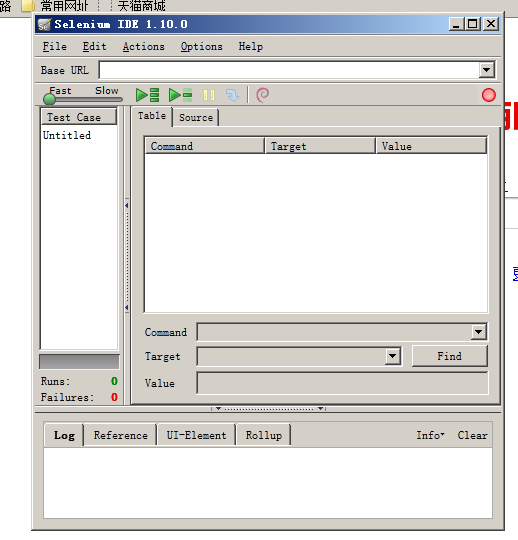
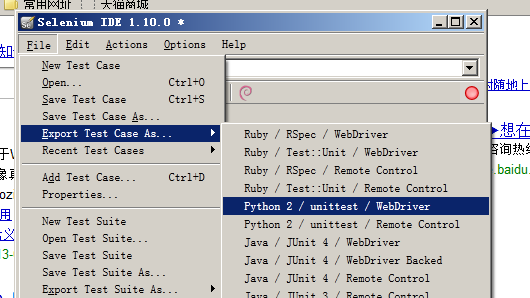
Selenium IDE是Firefox的一个插件,是可以进行脚本录制并转换成指定的类型的程序语言如java,C#或脚本如pythoh,ruby等,是我们编写测试代码的一个好帮手。
下载地址: http://release.seleniumhq.org/selenium-ide/2.4.0/selenium-ide-2.4.0.xpi
1.下载完成后,启动firefox,从菜单中选择添加附件"Add-ons" -> "Install Add-on from file" ,选择selenium-ide-2.4.0.xpi安装,安装后,重新启动firefox
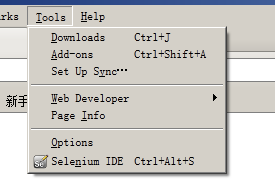
2.重启后,在工具栏菜单中,会出现selenium ide菜单,如下图:

Attachments
-
ide.png
 (152.9 KB) -
added by chenyang 13 years ago.
(152.9 KB) -
added by chenyang 13 years ago.
-
ide_ui.png
(820.6 KB) -
added by chenyang 13 years ago.
-
export_case.png
(463.3 KB) -
added by chenyang 13 years ago.